
Trip Expense Splitter

For holidays, bach weekends and road trips

Split trip costs fairly. Settle up in the fewest transfers.

Trip Expense Splitter keeps every shared cost in one place. Add the people, log who paid and who it was for, and see exactly who owes whom — in NZD or any currency you travel with.

Coming soon to Google Play How it works
  • Free
  • No ads
  • No account
  • Works offline
  • Data stays on your phone
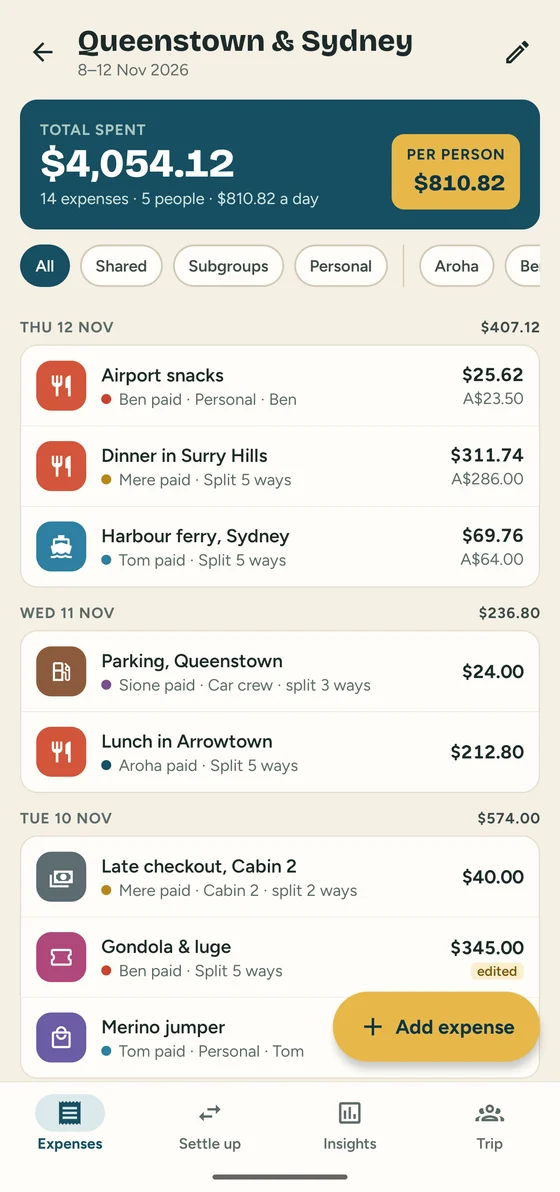
Expenses of a five-person trip to Queenstown and Sydney, grouped by day
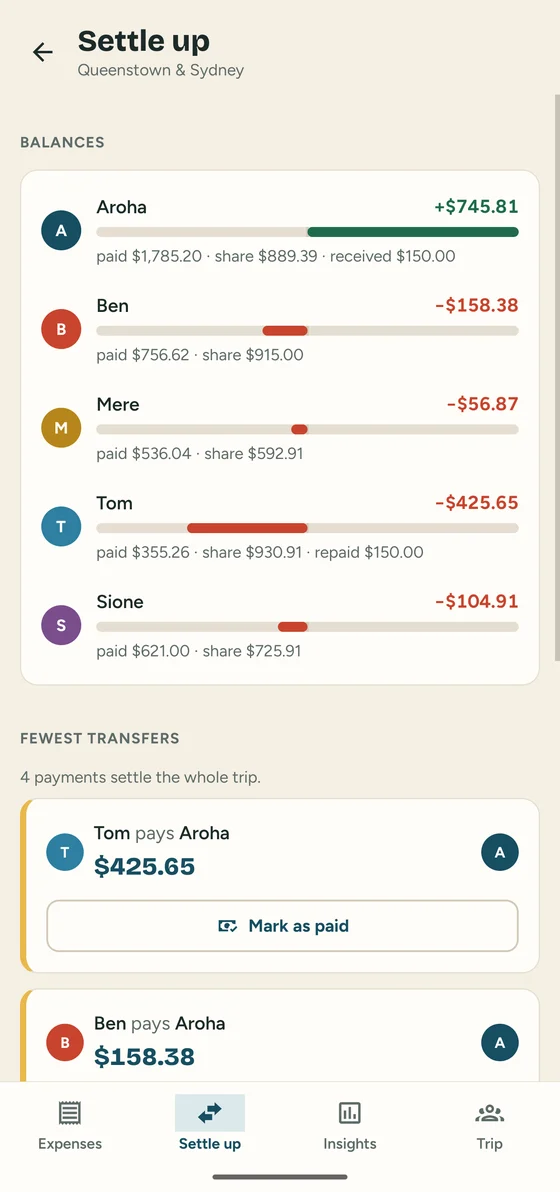
Balances and the fewest transfers that settle the trip

How it works

  1. Add the people

    Type in the names of everyone on the trip. Nobody signs up, nobody gets an invite.

  2. Log what's paid

    Amount, category, who paid and who it was for. Shared, one subgroup or personal.

  3. Settle up

    See each person's balance and the fewest transfers that square everyone away.

Split

Split it the way it actually happened

Equal shares for dinner, shares by nights for the cabin, fixed amounts when someone skipped the jet boat. A live preview shows each person's part before you save, and the cents always add up to the total.

  • Equally, by shares or by fixed amounts
  • Shared, inside a subgroup (one room, one car) or personal
  • Copy an expense to log a repeat in seconds
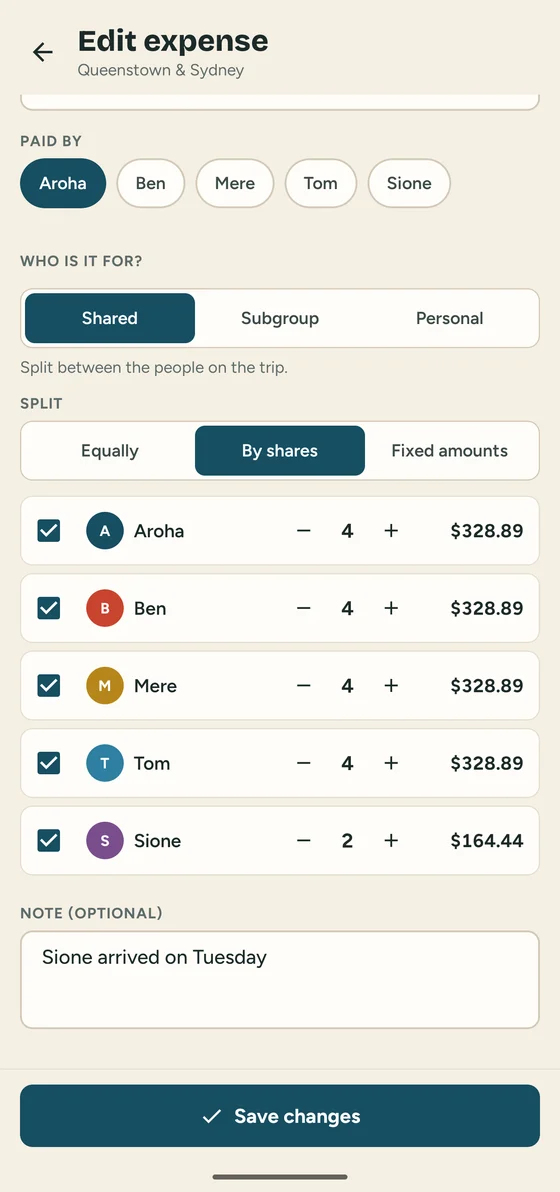
Edit expense screen splitting a cabin booking by shares between five people

Settle up

The fewest transfers, worked out for you

Every person's balance is paid minus their share, adjusted for repayments. The app finds the smallest set of payments that settles the whole trip, and you can mark each one as paid.

  • Running balance for everyone
  • Mark a transfer as paid or record any repayment
  • Balances update straight away
Settle up screen with balances for five people and suggested transfers

Currencies

Abroad? Use the rate you actually got

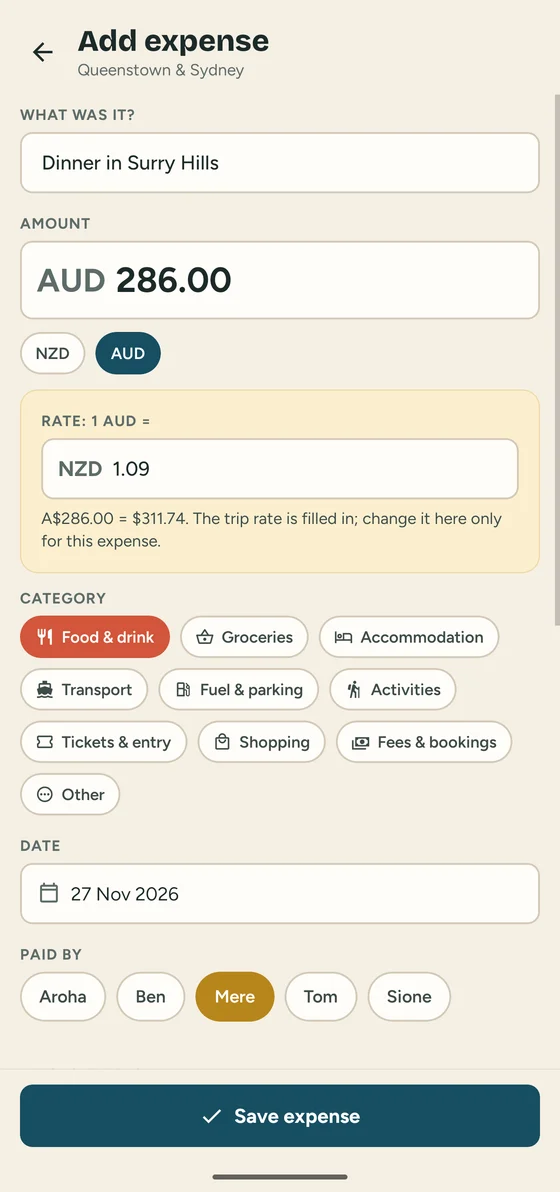
Each trip has a home currency, NZD by default. Log purchases in AUD, FJD, USD or any other currency and type in the exchange rate from your bank or card statement. There is no online rate service, so it works the same offline.

  • Any ISO currency code
  • Change a rate for new expenses only, or for all of them
  • Original and converted amounts side by side
Add expense screen with an Australian dollar amount and a typed exchange rate

History

Fix mistakes without losing the original

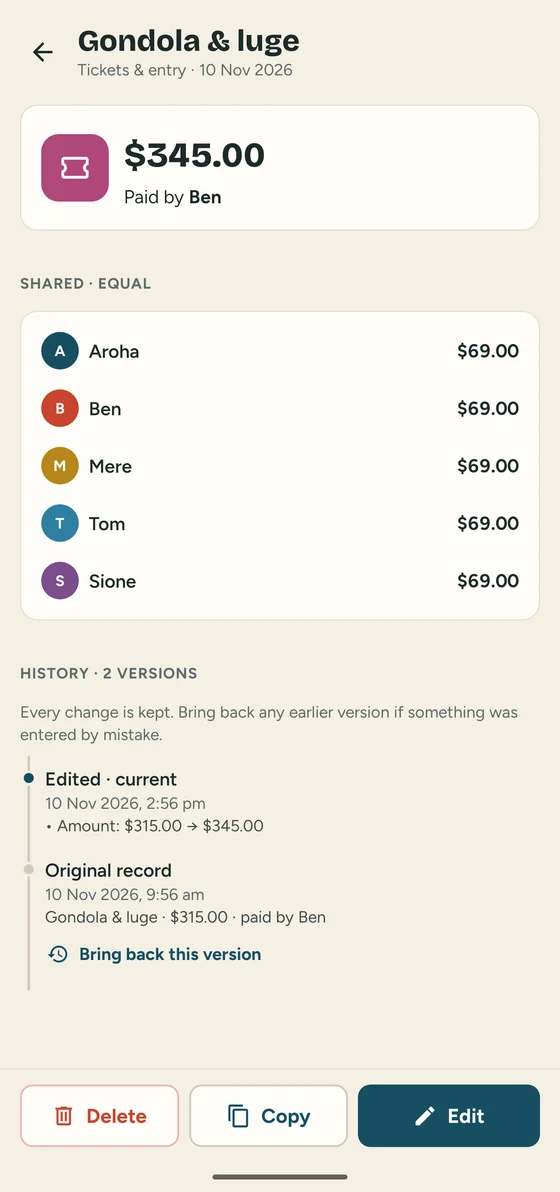
Every edit is saved as a new version. See exactly what changed, bring back an earlier version, or restore an expense that was deleted by accident.

  • Original record always kept
  • Undo right after deleting
  • Activity log for the whole trip
Expense detail with the per-person breakdown and a two-version history

Insights

See where the money went

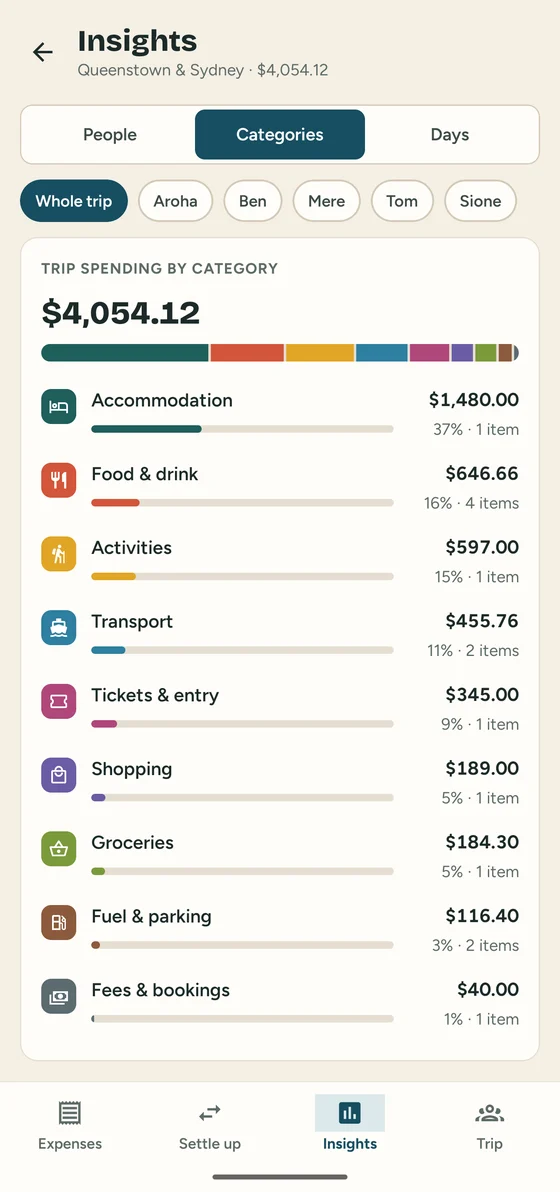
Charts by person, by category and by day: who paid, who spent what, and how much went on accommodation, food or activities. Look at the whole trip or at one person's share.

  • Paid versus share for each person
  • Categories for the trip or one person
  • Spending per day
Insights screen with spending by category for the trip

Export

PDF and CSV, ready to share

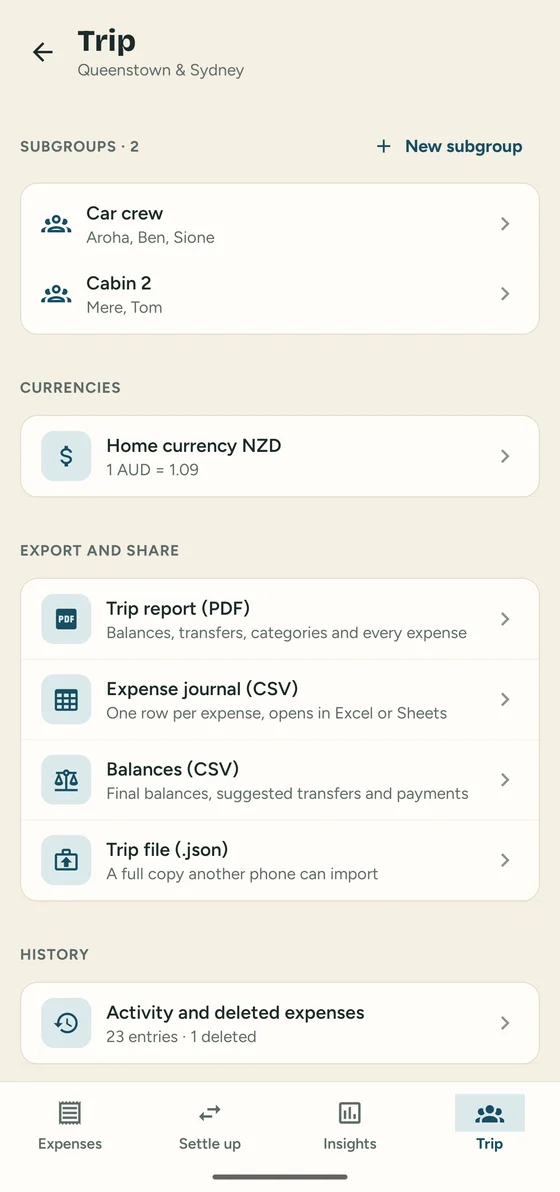
Send the group a PDF report with balances, transfers, categories and every expense. Open the expense journal or the balances in a spreadsheet. A trip file moves a whole trip to another phone.

  • PDF trip report
  • CSV expense journal and balances
  • Trip file (.json) to import on another phone
Trip screen with subgroups, currencies and the export options

Questions

Does everyone on the trip need the app?

No. One person can keep the trip on their phone and share the PDF report or the balances. If someone else wants a copy, share the trip file and they import it.

Does it need an internet connection?

No. Everything is calculated on the phone, and exchange rates are typed in by you.

Where is my data stored?

Only on your phone, inside the app. Nothing is uploaded. Files leave the phone only when you share an export yourself.

How are the transfers worked out?

Each person's balance is what they paid minus their share, plus repayments sent and minus repayments received. The app then looks for groups of people whose balances cancel out and settles each group with as few payments as possible.

Does it send reminders?

No. The app has no notifications; open the trip any time to see who still owes what.

What does it cost?

Nothing. All features are free, with no ads and no in-app purchases.

Trip Expense Splitter for Android

Version 1.0.0 · free · no ads · no account · works offline

Coming soon to Google Play